
To publish a review on ResellerRatings, you must verify your email address and activate your account. Until you complete this step, your review will not be visible to the public. This article explains why verification is required, walks you through each step of the process, and helps you troubleshoot if your review isn't showing up.
This process helps us maintain the integrity of our platform by ensuring reviews are submitted by real people with real experiences. Email verification is one of several measures we use to combat fraud, fake reviews, spam, and abusive behavior.
Why Is Account Verification Required?
Online review platforms are frequent targets for fake reviews, automated submissions, and fraudulent accounts. To help protect shoppers and businesses alike, ResellerRatings requires reviewers to verify ownership of their email address before their reviews become visible.
Verification helps us:
- Confirm that a real person submitted the review
- Reduce spam and automated bot submissions
- Prevent duplicate and fraudulent accounts
- Improve the credibility of reviews on our platform
- Maintain compliance with our review policies
- Create a secure account that allows you to edit or manage your reviews later
What Happens After I Submit a Review?
Step 1: Submit Your Review
After completing the review form, invoice information, and CAPTCHA verification, you’ll be asked to either:
- Sign in with Google
- Sign in with Facebook
- Create an account using your email address
If you’re creating a new account, you’ll be prompted to provide:
- Email address
- Public username
- First name
- Last name
Step 2: Check Your Email
Once your review has been submitted, we’ll send an activation email to the address you provided.
You’ll see a confirmation page indicating that your review has been received and that activation is required before publication.
Step 3: Activate Your Account
Open the email from ResellerRatings and click the activation link. Note: The activation link expires after 24 hours. If your link has expired, visit the Account Activation Page to request a new one.
Once activated:
- Your account becomes active
- Your review becomes eligible for moderation and publication
- Future reviews can be submitted without repeating the activation process
Why Isn't My ResellerRatings Review Showing Up?
If your review isn’t visible yet, the most common reason is that your account has not been activated.
Once your account is activated, your review generally appears within 24–48 hours after passing moderation. If your account remains inactive, your review will not be published.
How Do I Know If My Account Is Inactive?
If you log into your account and see messages such as:
- Account Not Activated
- Review Not Activated
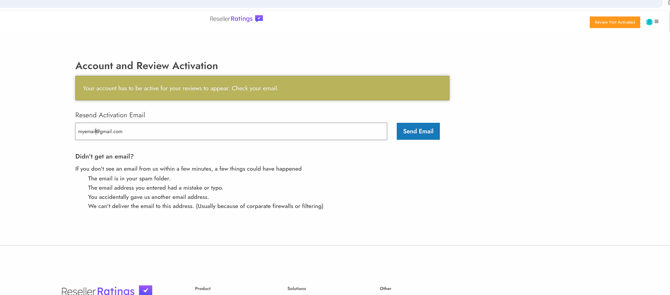
- Your account has to be active for your reviews to appear
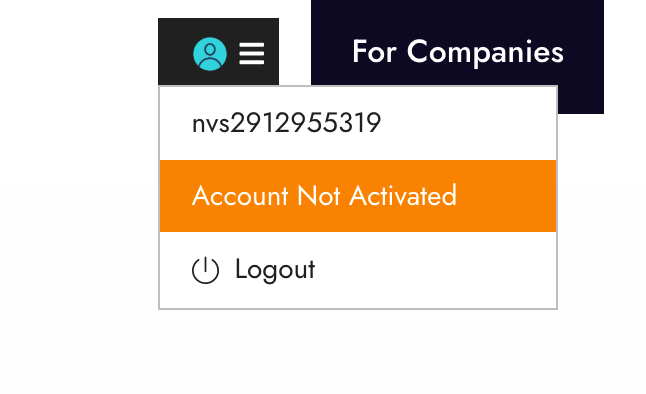
your account still requires email verification. Follow the steps below to complete activation.
You can visit the account activation page here:
From this page you can request a new activation email if needed. If you do not receive the email within a few minutes, please check your spam or junk mail folder before requesting a new one.