
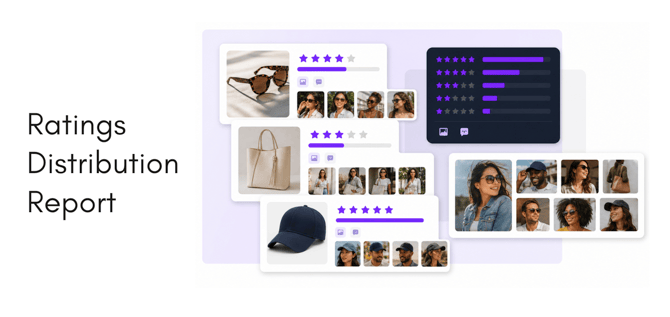
The Product Catalog Report provides a product-level view of review performance, customer engagement, and collected assets across your catalog. By combining product identifiers with ratings, review counts, recommendation data, questions, answers, and visual content, the report makes it easy to identify products performing well—and products that need attention.
Building a healthier product catalog
The Product Catalog Report is more than a list of ratings. It provides a structured way to understand whether every product has enough customer proof, whether that feedback is positive and representative, and whether customers are contributing useful visual assets.
Reviewed regularly, the report can guide review-generation campaigns, asset-collection programs, Q&A management, product-page improvements, and catalog-quality initiatives. The result is a better-supported product catalog with stronger customer confidence and more usable content.
What the report includes
Each row represents a product or SKU and may include:
- Product name, SKU, category, brand, and parent product ID
- Average rating
- Number of one-, two-, three-, four-, and five-star reviews
- Recommend and do-not-recommend responses
- Total review count
- Number of images collected through reviews
- Total customer questions and answers
- Total product-associated assets
- A direct URL to the product’s review page
The parent product ID can help group product variations so that review coverage is evaluated at both the individual-SKU and product-family levels.
Measuring review coverage
Review coverage shows how much customer feedback is available for each product. Start by sorting or filtering the total_reviews column to identify:
- Products with no reviews
- Products with only a small number of reviews
- New or strategically important products that need additional coverage
- Products with significantly fewer reviews than similar items in the same category
- Variants whose reviews may be fragmented across multiple SKUs
Average rating alone does not tell the complete story. A 4.8-star average based on two reviews is less established than a 4.5-star average supported by hundreds of reviews. The star-distribution columns provide additional context by showing whether an average is broadly supported or concealing a polarized customer experience.
Useful catalog-level measurements include:
- Review coverage rate: Products with at least one review ÷ active products
- Average reviews per product: Total reviews ÷ products with reviews
- Low-coverage rate: Products below your chosen review threshold ÷ active products
- Recommendation rate: Recommend responses ÷ all recommend and do-not-recommend responses
Review these measurements by brand, category, launch date, product family, or other relevant segment. This helps distinguish isolated product gaps from broader catalog trends.
Understanding asset collection
The report also shows where customers are contributing useful visual content. Review images and other product assets can support product pages, marketing campaigns, social content, merchandising, and customer education.
Compare asset counts with total reviews to find:
- Products receiving many reviews but little visual content
- Products producing unusually high volumes of customer imagery
- Categories in which customers are naturally more likely to submit photos
- Products that may benefit from a photo-review campaign
- Strong assets that can be reviewed for reuse, subject to the applicable permissions
Turning the report into action
A practical review process is to:
- Filter for products with zero or low review counts.
- Prioritize important products based on sales, launch status, inventory, or marketing plans.
- Review star distributions and recommendation rates for signs of product issues.
- Find well-reviewed products with low image counts and target them for visual-content collection.
- Identify products with strong asset yield and review their content for potential reuse.
- Flag unanswered customer questions for customer service, merchandising, or product teams.
- Use parent product IDs to determine whether coverage is fragmented across variants.
- Open the product URL to investigate individual reviews, questions, and assets.